

We invited Oliver Walker from our partner Hookflash to talk us through the practical ways you can use GA4 with your experimentation.
Although many people are talking about GA4 as a different platform from the previous version (Universal Analytics), conceptually it lets you do largely the same things. Its primary functions are to help you to understand and optimize your media; to understand and optimize your website; and to understand and segment your website visitors into audiences. However, with GA4 several features can really help you to power an experimentation program.
Here we’ll outline how to use GA4 to its full potential to drive results for your testing program.
Understanding User Behavior
At its core, Google Analytics has always been great for helping website owners to understand their website traffic. Whether it’s where they started their journey or where they ended their digital journey, or whether they sought help halfway through, there are a few options to know about. What we know about GA4 already is that it’s not the most intuitive tool in the world so here are some quick tips on that front:
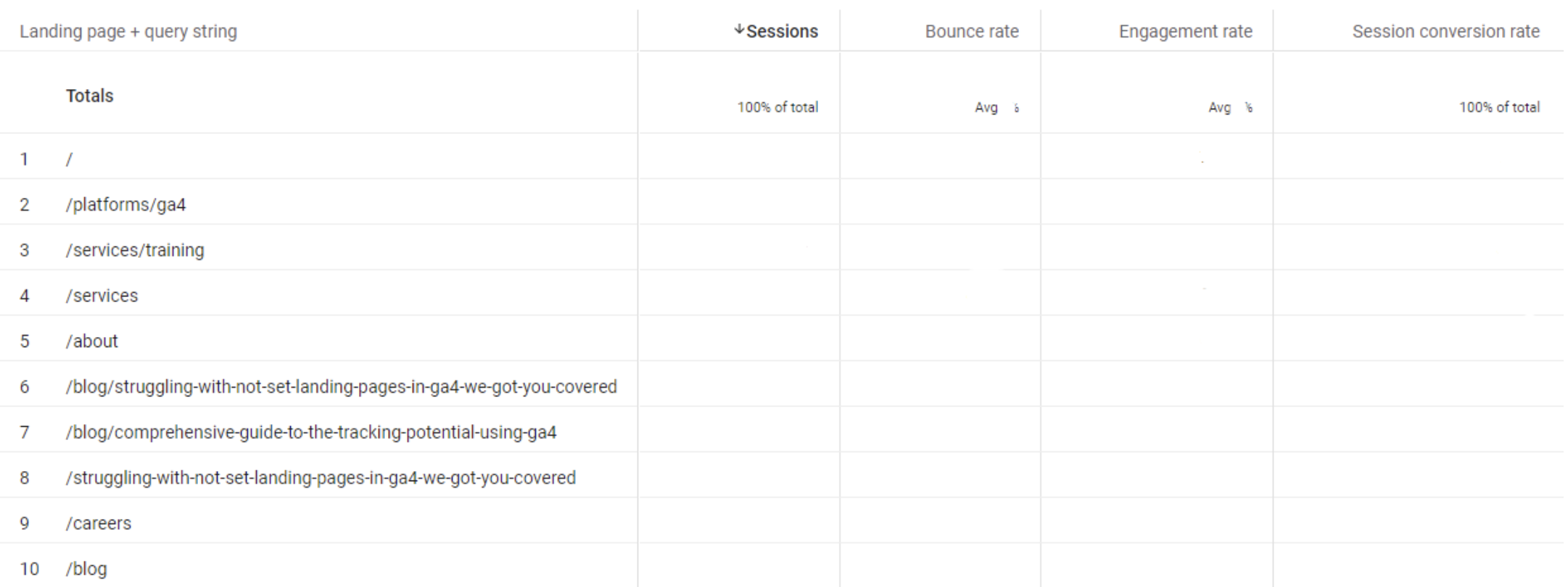
- Landing Pages – use Explorations – although there is a default report for landing pages…it’s not the best. Not just because there’s a known bug resulting in an empty row, but also because it doesn’t have the most useful metrics, i.e. bounce rate or engagement rate. If you build a report in Explorations, you can use a different dimension (called “Landing page + query string”) and choose the dimensions you’d find useful:
- Exit rate – similar to the above, you no longer get Exits (or Exit Rate) in the default Pages & Screens report. Again, rebuilding the report in Explorations gives you both the ability to add Exits as a metric, and you can choose your preferred pages dimension. The default dimension in the Pages and Screens report does not include query strings but if you’d prefer to use the one that does, choose the dimension “Page path + query string”.
- Site search – and finally, where’s the Site Search report gone!? There’s no longer a default report for this but you can rebuild this in Explorations. You can understand which search terms were most often looked for, by building an Exploration with the dimension of “Search term” and the metric “Event count”.
Understanding User Flow
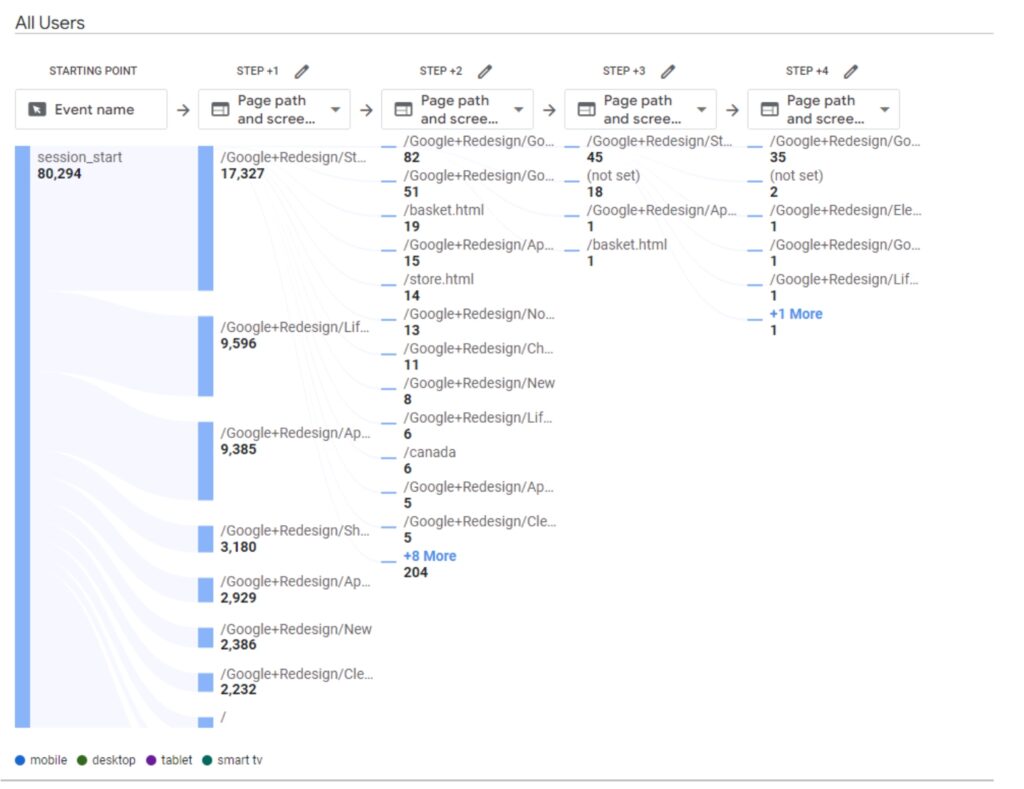
What Universal Analytics was not particularly good at is visualizing how people traverse through a website. The flow reports were horribly sampled and just merely teased you as to what you could have had. GA4 has on-the-fly path exploration reports that can be used and tweaked, very flexibly. You can find these within Explorations too, just choose Path Exploration and then tweak, as per the following:
- Get the pages view – for some unhelpful reason, the default view is Event Name, within each step. In the visualization, click the drop-down underneath Step +1 and change Event Name to be your preferred page dimension to get a view of how users move from page to page.
- Double-click the page you are interested in to see where users go next. You can also click the +15 more (or whichever number) link at the bottom of each column to get the longer tail
- Choose a dimension to “breakdown” by lets you easily compare routes through the site for different users, for example mobile vs. desktop or for each of the different browsers. Likewise, you can use segments here to review a certain audience type, e.g. non-UK traffic or Purchasers.
Audience targeting & triggers
Speaking of audiences, this was always a great feature of Universal Analytics and when Google Optimize was in its pomp, the ability to share audiences from UA to Optimize was one of its prime features. With GA4 you get the same ability to build audiences and to share audiences natively with other Google Marketing Platform (GMP) plus some neat additional elements:
- The ability to use user behavior to trigger new types of goals. For example, if you’re a publisher and you want to engage people to read a certain number of articles in a particular time frame, it’s possible to create an audience for this and then have that set of behavior trigger a new event. It’s called audience triggers. And this becomes a powerful new metric with which to optimize your testing campaigns, by importing that conversion into your chosen testing tool
- The ability to export audiences from GA4 to other platforms. Namely, this is something that the new Google Analytics Data API supports. This is big news. Whilst it’s to be expected that other platforms will catch-up, at the moment AB Tasty is the only one to have published their mechanism for pulling GA4 audiences into their platform:
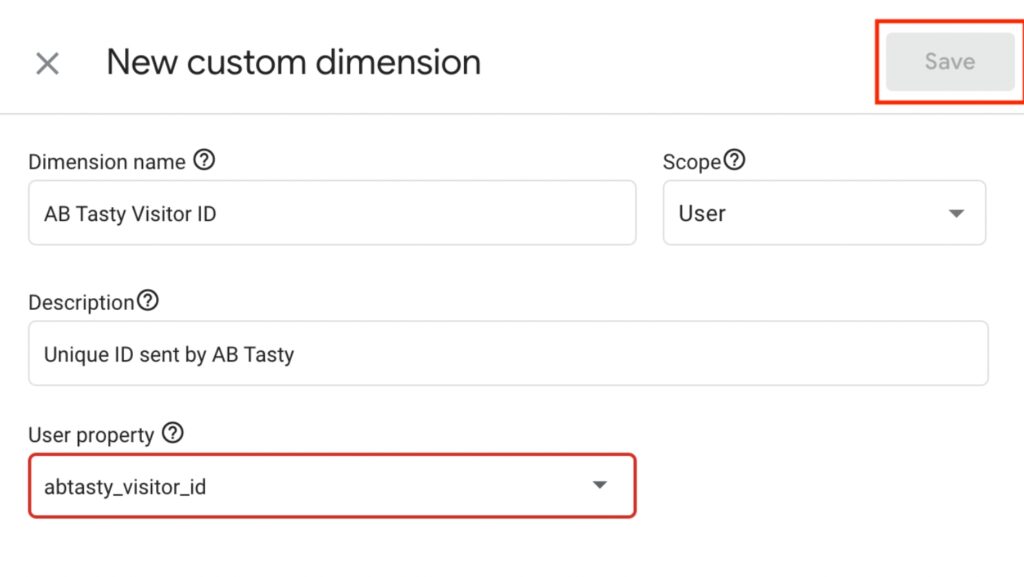
This is generally a great leap forward as GA4 also has the concept of users being added, and removed from audience groups, whereas most testing tools don’t have this feature.
Advanced analysis using BigQuery
The final area where GA4 really steps forward beyond its predecessor is that all GA4 accounts have a native integration with Google BigQuery. Whilst the integration itself is free, it’s worth noting that you do incur costs by storing or processing data in BigQuery, although a good partner will be able to advise on what that might look like for you.
So where does BigQuery help? The data schema provided by integrating GA4 and BigQuery is raw-level data – that means each row is effectively an event, with a time stamp, and all the associated parameters. It lets you have a greater degree of flexibility over what you analyze, provided you’re able to query the data (using SQL, or your friendly AI-driven chat tool.) For example:
- If you want to understand how long it takes a user to complete a particular flow or set of actions. Worth noting that Google Analytics does batch events so this isn’t perfect, but it is easier than within the interface
- If you want to look at user flows at an even greater level of detail, for example, how users traverse through the site having landed at a particular page
- If you want to stitch together any data that GA didn’t capture but that also exists in Google Cloud, e.g. following a lead to submission through to outcome.
- If you want to conduct a deeper analysis within your post-experiment analyses. All testing platforms will pass events and parameters to denote whether a user was part of an experiment and the variation they saw, so GA4 is a powerful additional tool to deep-dive into results
It’s not all doom and gloom
Yup, GA4 does have some limitations, it’s a big change to a tool that lots of people loved and it’s hard to pick-up. BUT when you start to understand certain concepts and familiarize yourself with capabilities, there are lots of features to help you with your experimentation program.